
Giới thiệu ứng dụng & Các tính năng
- Tìm kiếm và phát thư viện nhạc.
- Nghe phát thanh internet từ SomaFM, Digitally Imported, RadioTunes, JAZZRADIO.com, ROCKRADIO.com, ClassicalRadio.com, Intergalactic FM, Radio-Browser.info và Icecast.
- Browse and play music from Jamendo, Magnatune, Subsonic servers và Plex Media Servers.
- Tìm và phát nhạc từ Box, Dropbox, Google Drive, OneDrive và Seafile.
- Scrobble what you play to Last.fm.
- Tạo các danh sách thông minh và các danh sách động.
- Tabbed playlists, import and export M3U, XSPF, PLS, ASX and WPL.
- Hỗ trợ danh sách CUE.
- Phát CD nhạc.
- Equalizer and moodbar.
- Hiệu ứng hình ảnh ảo projectM.
- Lyrics from your own files and LRCLIB, shown in time with the song where they're timed.
- Artist biographies and photos.
- Transcode music into MP3, Ogg Vorbis, Ogg Opus, Ogg Speex, FLAC, AAC, WMA or WAV.
- Edit tags and organise your music.
- Tải thông tin bị thiếu từ MusicBrainz.
- Discover, download and sync podcasts with gpodder.net.
- Download missing album cover art from Last.fm, MusicBrainz and Discogs.
- Cross-platform - works on Windows, macOS and Linux.
- Light and dark themes, or follow your system's.
- Native desktop notifications and media controls on Linux, macOS and Windows.
- Remote control using an Android device, an iPhone or iPad, Wii Remote, MPRIS hay dòng lệnh.
- With Clementine Remote, browse your library and internet services, download songs, and play Clementine's music on your phone.
- Chép nhạc vào iPod, MTP or mass-storage USB player.
- Trình quản lý danh sách chờ.
Clementine là một chương trình phát nhạc và tổ chức thư viện nhạc hiện đại
Clementine là một chương trình phát nhạc đa nền tảng. Được lấy cảm hứng từ Amarok 1.4, tập trung vào một giao diện dễ sử dụng để tìm kiếm và phát nhạc.

Clementine Remote
Điều khiển từ xa Clementine bằng điện thoại Android của bạn
Want every change as soon as it's made? Join the beta for development builds.
Google Play and the Google Play logo are trademarks of Google LLC.
Ảnh chụp
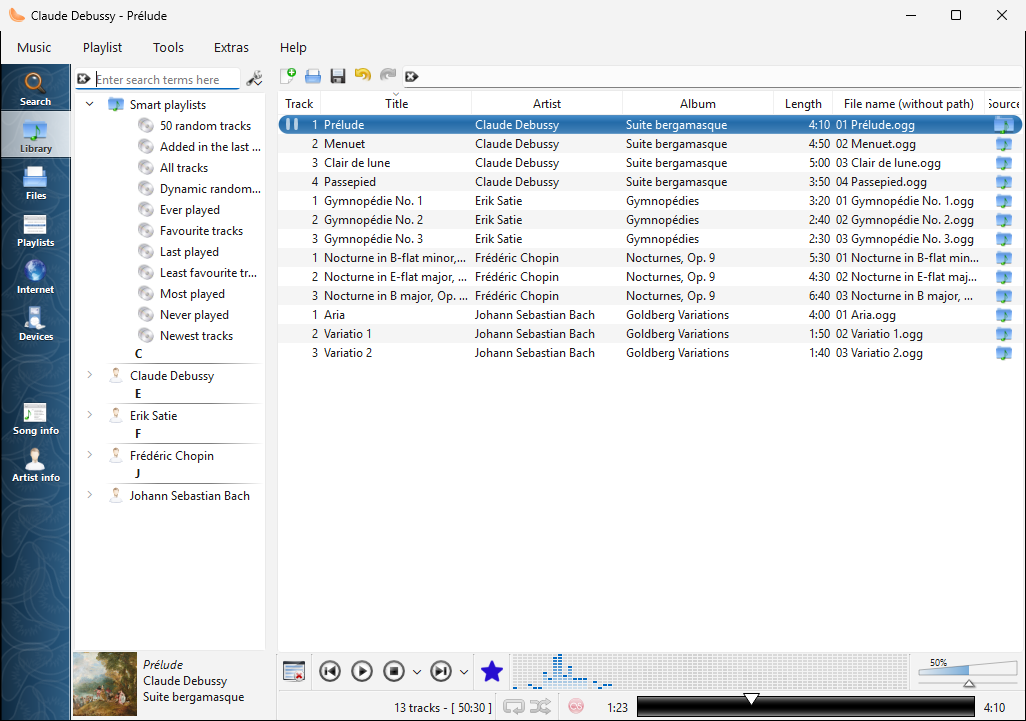
The library on Windows |
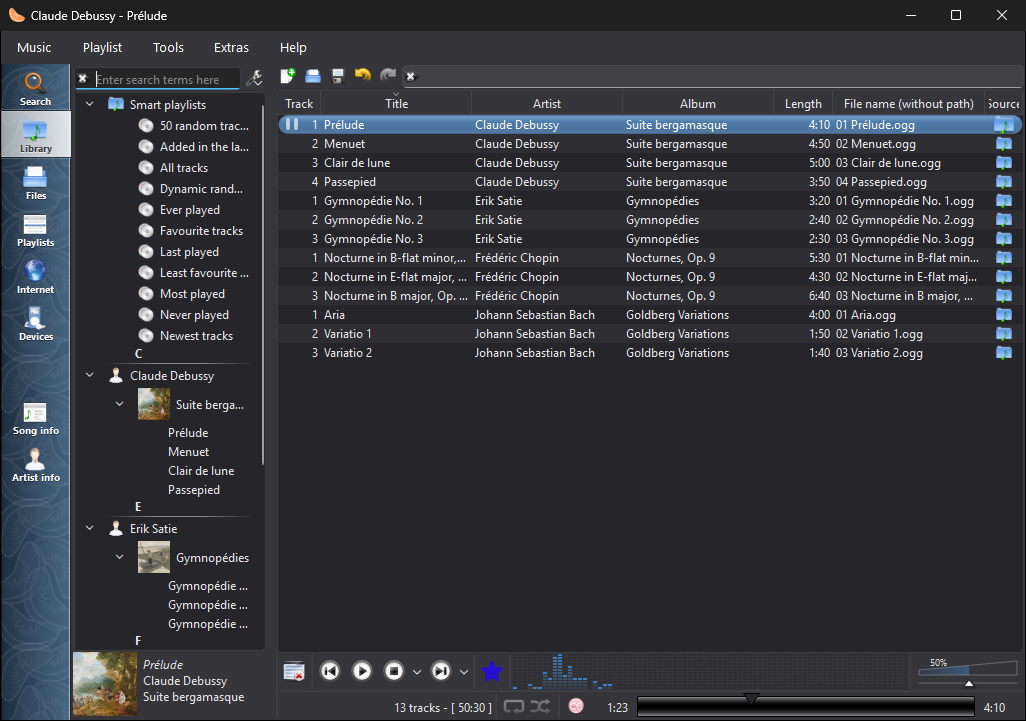
The library on Windows, in the dark theme |
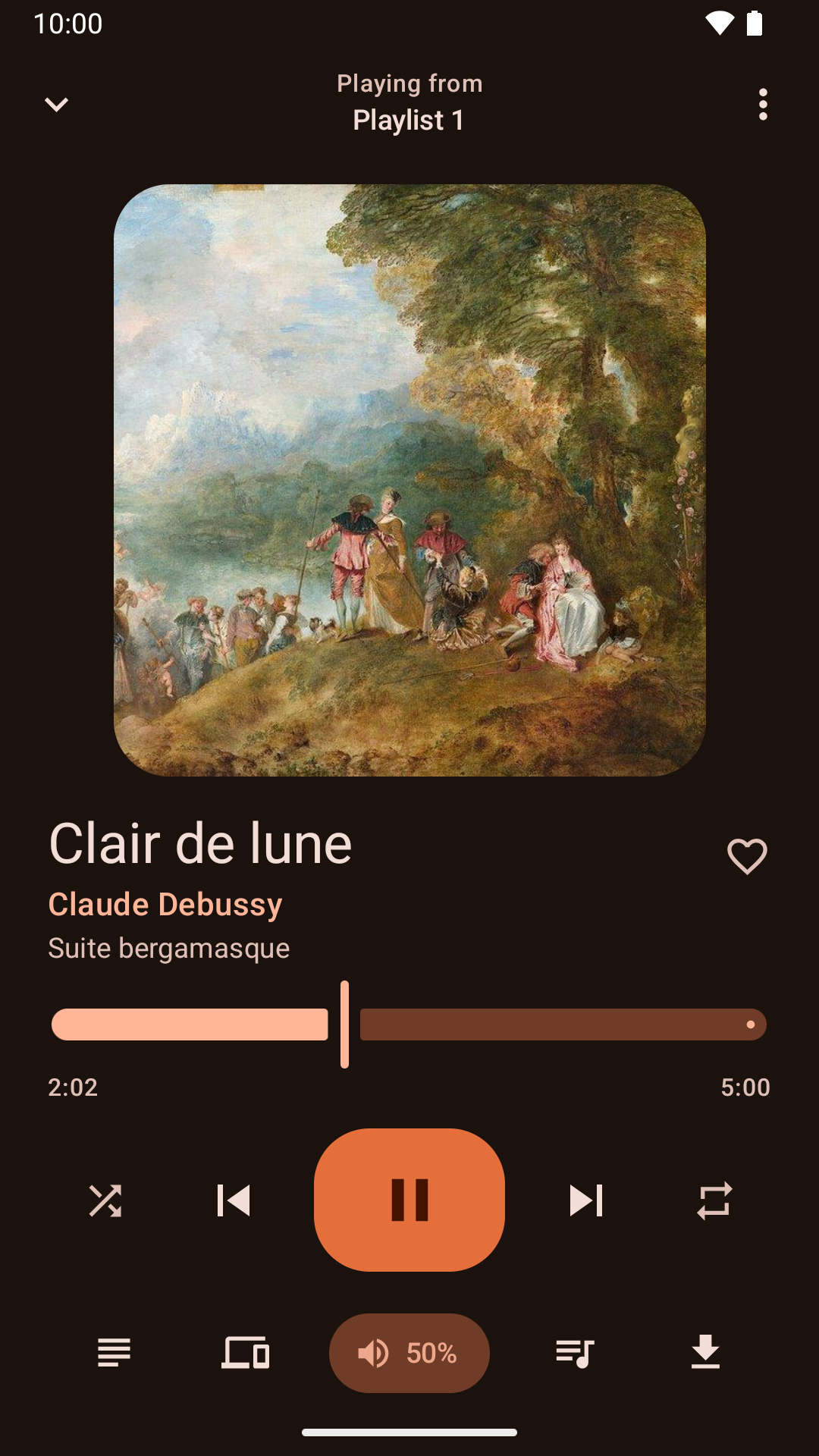
Điều khiển phát nhạc bằng ứng dụng Android |
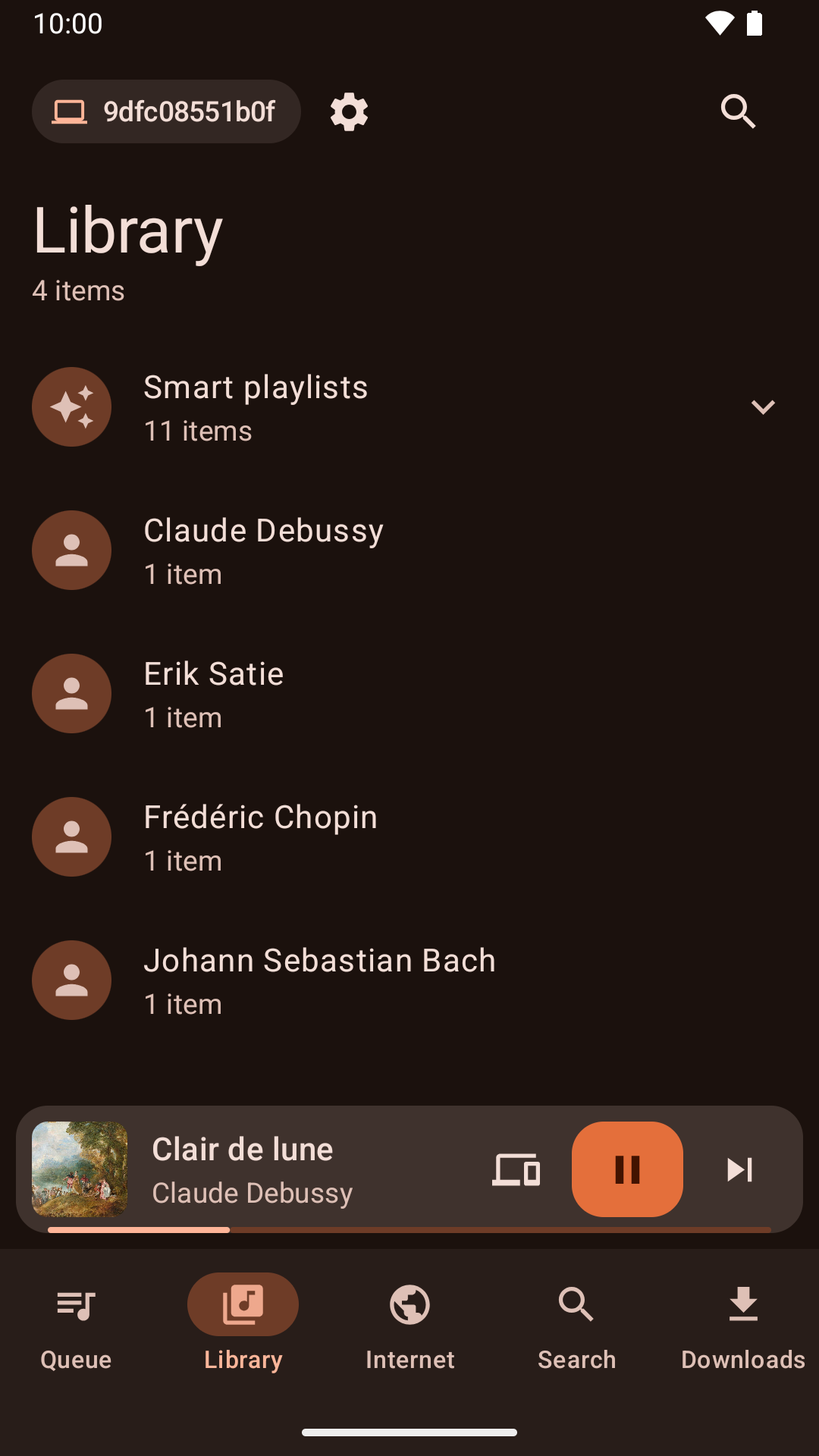
Browsing the library from the Android app |
Tin tức
Version 1.4.6 released - Thứ Hai, 16 tháng 11, 2026
- Cover art embedded in Ogg Vorbis and Opus files shows again on systems with TagLib 2.
- Linux software centres list Clementine with its current description and release notes.
- Global shortcuts work on Wayland desktops that offer them through the desktop portal, such as GNOME 48 and later and Hyprland.
- On Wayland, Clementine no longer shows the desktop's keyboard shortcuts dialog when it starts: set the shortcuts up from Settings > Global Shortcuts instead.
- On GNOME with Wayland, the global shortcuts settings page can open GNOME Settings to change Clementine's shortcuts.
- On macOS and Windows, after a crash Clementine offers to send a crash report so the problem can be fixed.
- On macOS, playback now follows a change of the system's sound output, such as switching to Bluetooth speakers, without restarting Clementine.
- On macOS, Clementine remembers the sound output you choose, such as Bluetooth speakers, even after they disconnect and reconnect.
- On macOS, the output devices in playback settings have icons like the ones macOS shows.
Version 1.4.5 released - Thứ Hai, 9 tháng 11, 2026
- "Search for artist" and "Search for album" in the playlist's menu show their results in the Search tab again.
- Audio CDs are named from MusicBrainz reliably, including their track titles.
- Audio CDs can be opened, played and ripped on Windows.
- Play to AirPlay speakers and other AirPlay receivers, such as a Mac, with what's playing and its controls in the Mac's Now Playing.
- Play to Sonos speakers and other UPnP/DLNA media renderers.
- The network remote no longer lets a phone add or download files from outside the folder its Files tab shares.
- The network remote can no longer add files to a playlist from outside the library and the Files tab's folder.
- Playlist files added from the network remote can no longer add songs from outside the library and the Files tab's folder.
- Clementine for Mac now runs on macOS 15 Sequoia as well as later versions.
- Removing duplicate or unavailable songs from the playlist can be undone again, as can removing the current song with its shortcut.
- After shuffling the playlist, or undoing a sort, Next plays the song that now follows the current one.
- Undoing the removal of the playing song marks it as playing again.
- The cover manager lists every album, including albums with the same name by different artists.
Version 1.4.4 released - Thứ Hai, 2 tháng 11, 2026
- Clementine no longer crashes when playing on a Chromecast that isn't on a network the network remote listens on.
- Linux software centres now show what's new in each release.
- The menu for choosing where to play shows whether each device is a speaker, a TV or a speaker group.
- Fixed a crash when double-clicking a track to play it.
- The Mac and Windows versions print their log when run from a terminal, so --verbose and --log-levels work there too.
- Chromecasts are offered whenever they're found, and choosing one explains what the network remote needs to play on it, offering to turn it on.
- Plex keeps working when the server's address changes, without signing in again.
- Plex album art keeps loading when the server's address changes.
- The network remote can listen on a network instead of an exact address, so it keeps working when your router gives this computer a new address.
- Full screen visualizations keep the screen from turning off on Linux again, and a new "Keep the computer awake" setting can turn this off.
- Clementine can keep the computer awake during playback, while playing on another device, while a remote downloads or syncs songs, or whenever it's open, with an option for each under "Keep the computer awake".
- The library has a new "Added in the last 30 days" smart playlist.
- Clementine Remote can list the library's smart playlists and play them.
- The Windows installer is no longer blurry on high-resolution displays.