
Despre Clementine și caracteristicile sale
- Caută și redă colecția dumneavoastră locală de muzică.
- Ascultați radio în internet de la SomaFM, Digitally Imported, RadioTunes, JAZZRADIO.com, ROCKRADIO.com, ClassicalRadio.com, Intergalactic FM, Radio-Browser.info și Icecast.
- Răsfoiește și redă muzică de pe Jamendo, Magnatune, Servere Subsonic și Servere Plex Media.
- Caută și redă melodiile pe care le-ați încărcat în Box, Dropbox, Google Drive, OneDrive și Seafile.
- Trimite automat datele melodiilor pe care le asculți către Last.fm.
- Creează liste de redare inteligente și liste de redare dinamice.
- Liste de redare în file; import și export în formatele M3U, XSPF, PLS, ASX și WPL.
- Gestionare fișe CUE.
- Redare CD-uri audio.
- Egalizator și bara de redare vizuală a dispoziției.
- Vizualizări de la projectM.
- Versuri din propriile dvs. fișiere și LRCLIB, afișate în sincronizare cu melodia, în momentele corespunzătoare.
- Biografii și fotografii ale artiștilor.
- Transcodifică muzica în formatele MP3, Ogg Vorbis, Ogg Opus, Ogg Speex, FLAC, AAC, WMA sau WAV.
- Editează etichetele și organizează muzica dvs.
- Preluare etichete lipsă de la MusicBrainz.
- Descoperă, descarcă și sincronizează podcasturi cu gpodder.net.
- Descarcă coperțile albumelor lipsă de la Last.fm, MusicBrainz și Discogs.
- Multiplatformă – funcționează pe Windows, macOS și Linux.
- Temă luminoasă și întunecată sau se adaptează la tema sistemului dvs.
- Notificări native pe birou și comenzi media pe Linux, macOS și Windows.
- Control de la distanță prin intermediul unui dispozitiv Android, unui iPhone sau iPad, unei telecomenzi Wii, MPRIS sau de la linia de comandă.
- Cu Clementine Remote, puteți răsfoi colecția dvs. și serviciile din Internet, puteți descărca melodii și puteți reda muzica din Clementine pe telefonul dvs.
- Copiați muzică pe iPod, MTP sau un dispozitiv de redare USB cu capacitate mare de stocare.
- Administrator coadă de redare.
Clementine este un reproducător muzical modern și un organizator de colecții de muzică
Clementine este un reproducător muzical multiplatformă. Este inspirat de Amarok 1.4, punând accent pe o interfață rapidă și ușor de utilizat pentru căutarea și redarea muzicii dumneavoastră.

Clementine Remote
Controlați Clementine de la distanță cu un smartphone cu Android
Vrei să afli despre fiecare modificare imediat ce este făcută? Alătură-te programului beta pentru versiunile de dezvoltare.
Google Play and the Google Play logo are trademarks of Google LLC.
Capturi de ecran
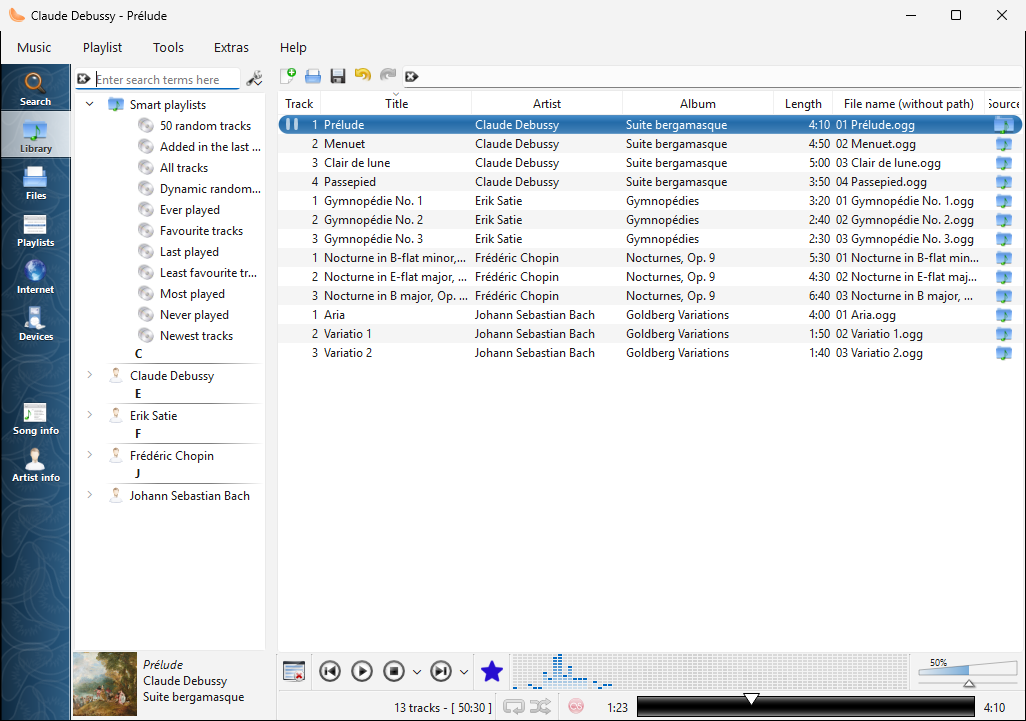
Colecția de pe Windows |
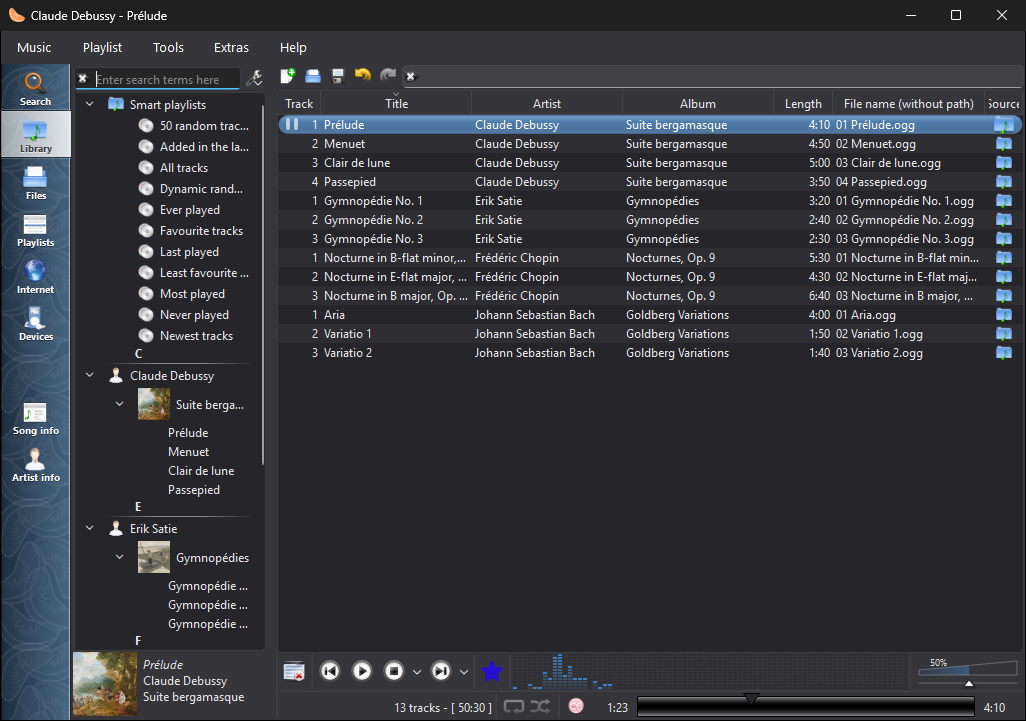
Colecția din Windows, în tema întunecată |
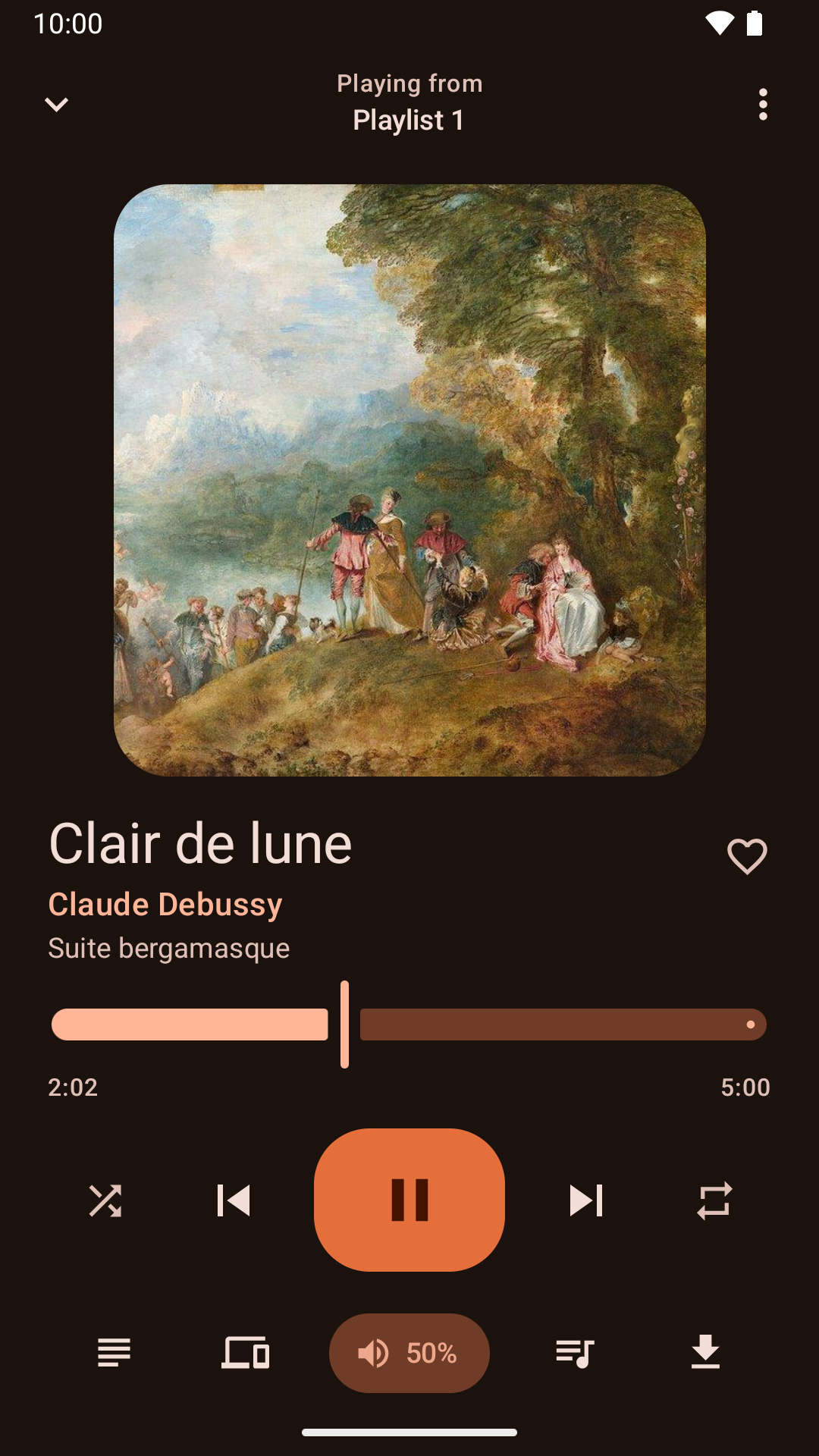
Control redare din aplicația Android |
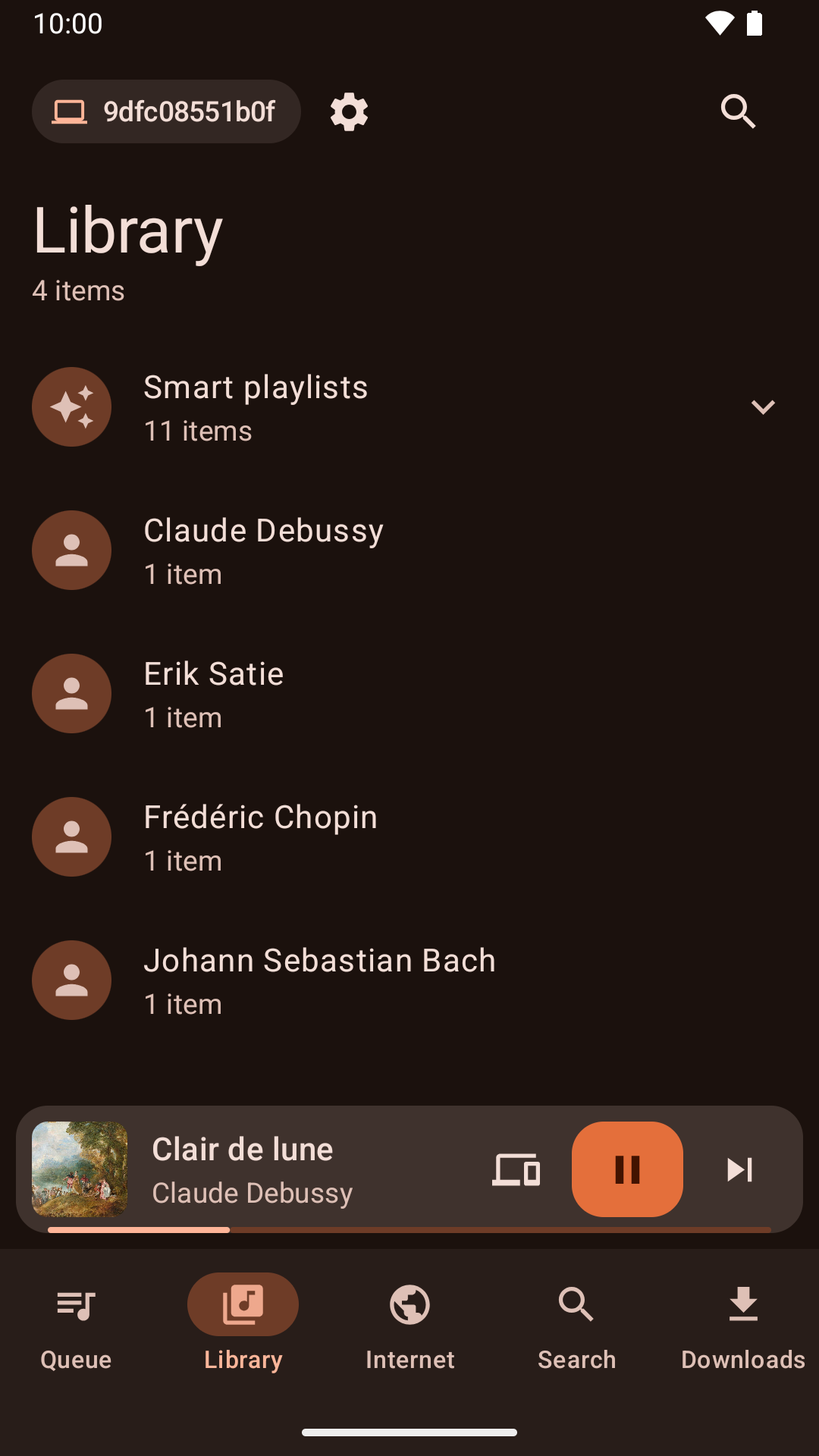
Răsfoirea colecției din aplicația pentru Android |
Știri
Version 1.4.6 released - luni, 16 noiembrie 2026
- Cover art embedded in Ogg Vorbis and Opus files shows again on systems with TagLib 2.
- Linux software centres list Clementine with its current description and release notes.
- Global shortcuts work on Wayland desktops that offer them through the desktop portal, such as GNOME 48 and later and Hyprland.
- On Wayland, Clementine no longer shows the desktop's keyboard shortcuts dialog when it starts: set the shortcuts up from Settings > Global Shortcuts instead.
- On GNOME with Wayland, the global shortcuts settings page can open GNOME Settings to change Clementine's shortcuts.
- On macOS and Windows, after a crash Clementine offers to send a crash report so the problem can be fixed.
- On macOS, playback now follows a change of the system's sound output, such as switching to Bluetooth speakers, without restarting Clementine.
- On macOS, Clementine remembers the sound output you choose, such as Bluetooth speakers, even after they disconnect and reconnect.
- On macOS, the output devices in playback settings have icons like the ones macOS shows.
Version 1.4.5 released - luni, 9 noiembrie 2026
- "Search for artist" and "Search for album" in the playlist's menu show their results in the Search tab again.
- Audio CDs are named from MusicBrainz reliably, including their track titles.
- Audio CDs can be opened, played and ripped on Windows.
- Play to AirPlay speakers and other AirPlay receivers, such as a Mac, with what's playing and its controls in the Mac's Now Playing.
- Play to Sonos speakers and other UPnP/DLNA media renderers.
- The network remote no longer lets a phone add or download files from outside the folder its Files tab shares.
- The network remote can no longer add files to a playlist from outside the library and the Files tab's folder.
- Playlist files added from the network remote can no longer add songs from outside the library and the Files tab's folder.
- Clementine for Mac now runs on macOS 15 Sequoia as well as later versions.
- Removing duplicate or unavailable songs from the playlist can be undone again, as can removing the current song with its shortcut.
- After shuffling the playlist, or undoing a sort, Next plays the song that now follows the current one.
- Undoing the removal of the playing song marks it as playing again.
- The cover manager lists every album, including albums with the same name by different artists.
Version 1.4.4 released - luni, 2 noiembrie 2026
- Clementine no longer crashes when playing on a Chromecast that isn't on a network the network remote listens on.
- Linux software centres now show what's new in each release.
- The menu for choosing where to play shows whether each device is a speaker, a TV or a speaker group.
- Fixed a crash when double-clicking a track to play it.
- The Mac and Windows versions print their log when run from a terminal, so --verbose and --log-levels work there too.
- Chromecasts are offered whenever they're found, and choosing one explains what the network remote needs to play on it, offering to turn it on.
- Plex keeps working when the server's address changes, without signing in again.
- Plex album art keeps loading when the server's address changes.
- The network remote can listen on a network instead of an exact address, so it keeps working when your router gives this computer a new address.
- Full screen visualizations keep the screen from turning off on Linux again, and a new "Keep the computer awake" setting can turn this off.
- Clementine can keep the computer awake during playback, while playing on another device, while a remote downloads or syncs songs, or whenever it's open, with an option for each under "Keep the computer awake".
- The library has a new "Added in the last 30 days" smart playlist.
- Clementine Remote can list the library's smart playlists and play them.
- The Windows installer is no longer blurry on high-resolution displays.
Version 1.4.3 released - luni, 26 octombrie 2026
- About Clementine and About Qt work again in the macOS application menu.
- With the theme following the system, Clementine switches between light and dark as soon as the system does.
- On macOS, Plex tracks and other streams from servers with newer certificates now play, instead of failing with "Internal data stream error".
- The Dock icon's play and pause badge fits in with current macOS, and the icon is sharp on Retina screens.
- On Retina screens, the playlist's Source column shows its icons at full size again.
- On macOS, Clementine's icons use the system's SF Symbols: sharp at any size, and following light and dark mode.
- Clementine Remote no longer mixes up songs Clementine can't read (a missing file, say) with a playlist's first song.
- Clementine Remote shows songs Clementine can't read (a missing file, say) as the playlist does, rather than as empty rows.
- The tray icon's play and pause badge is now visible on dark panels.
- Remotes name this computer by its host name when choosing where to play.
- Fixed an occasional crash while Clementine reads tags, such as when scanning the library.
- The remote control settings link to the new Clementine Remote for Android on Google Play.
- The remote control settings no longer link to ClemRemote, the alternative remote app.
- Play music on a Chromecast or other Google Cast device: turn on "Allow playing on remote devices" in the network remote settings, then choose the device with the Cast button next to the volume slider.
- Album covers in the now-playing area are now sharp on high-resolution screens.
- Under GNOME, Clementine uses GNOME's own icons for its buttons and menus, matching the rest of the desktop in light and dark mode.
- Clementine has numbered releases again, every week there's something new. Development builds from every change are pre-releases on GitHub.
- Fixed streams sometimes never starting when they're opened as Clementine starts, from the command line or a remote.
- Fixed adding songs and streams from a remote's Browse tab on Ubuntu 24.04 and Debian 12.
- Streams that connect but send nothing now fail after five seconds with an error, instead of waiting for ever.
- Clementine's scalable icon is now square, as Linux app launchers expect.
Toate versiunile destinate publicului și versiunile de dezvoltare