
O programu & Vlastnosti
- Vyhledávejte a přehrávejte svoji hudební sbírku.
- Poslouchejte internetová rádia z SomaFM, Digitally Imported, RadioTunes, JAZZRADIO.com, ROCKRADIO.com, ClassicalRadio.com, Intergalactic FM, Radio-Browser.info a Icecast.
- Procházejte a přehrávejte hudbu z Jamendo, Magnatune, Servery Subsonic a Servery Plex Media.
- Hledání a přehrávání vámi nahraných písní Box, Dropbox, Google Drive, OneDrive a Seafile.
- Odesílejte, co posloucháte, do Last.fm.
- Vytvářejte chytré a dynamické seznamy skladeb.
- Seznamy skladeb na kartách, zavádějte a vyvádějte M3U, XSPF, PLS, ASX a WPL.
- Podpora pro seznamy CUE.
- Přehrávajte audio CD.
- Equalizer a ukazatel nálady.
- Vizualizace z projectM.
- Texty písní z vašich vlastních souborů a LRCLIB, zobrazené v rytmu písně, kde jsou načasované.
- Životopisy a fotky umělců.
- Převádějte hudbu do MP3, Ogg Vorbis, Ogg Opus, Ogg Speex, FLAC, AAC, WMA nebo AAC.
- Upravujte značy a uspořádejte si svou hudbu.
- Získejte chybějící značky z MusicBrainz.
- Objevujte, stahujte a synchronizujte pořady (zvukové a obrazové záznamy). gpodder.net.
- Stahujte chybějící obaly alb z Last.fm, MusicBrainz a Discogs.
- Víceplatformnost - pracuje na Windows, macOS a Linuxu.
- Světlé a tmavé motivy, případně se přizpůsobí nastavení vašeho systému.
- Oznámení na ploše a ovládací prvky pro přehrávání médií v systémech Linux, macOS a Windows.
- Ovládání na dálku pomocí zařízení Android, iPhone nebo iPad, dálkového ovladače Wii, MPRIS nebo příkazového řádku.
- Díky aplikaci Clementine Remote můžete procházet svou sbírku a internetové služby, stahovat skladby a přehrávat hudbu z aplikace Clementine na svém telefonu.
- Kopírujte hudbu na svůj iPod, MTP nebo do přehrávače s úložištěm USB.
- Správce pořadí
Clementine je moderní hudební přehrávač a správce hudební sbírky
Clementine je víceplatformní hudební přehrávač. Je inspirován přehrávačem Amarok 1.4, záměrem je pak rychlé a jednoduše použitelné rozhraní pro hledání a přehrávání hudby.

Clementine Remote
Ovládat Clementine na dálku z telefonu Android
Chcete dostávat informace o každé změně hned, jak je provedena? Zapojte se do beta zkoušení pro vývojové verze.
Google Play and the Google Play logo are trademarks of Google LLC.
Snímky obrazovky
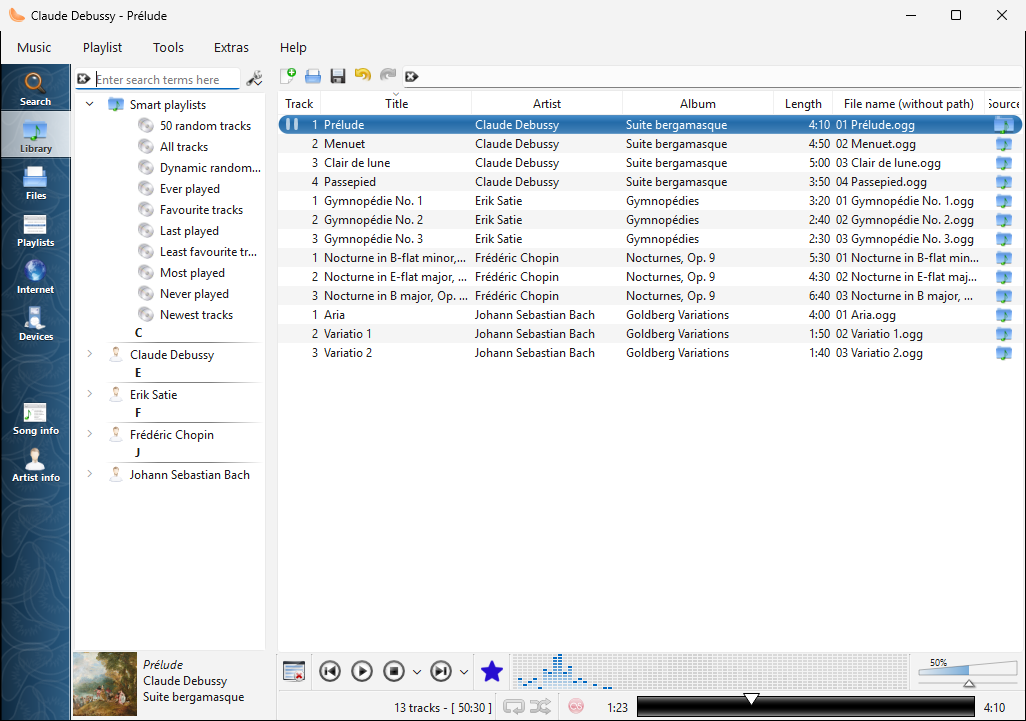
Sbírka na Windows |
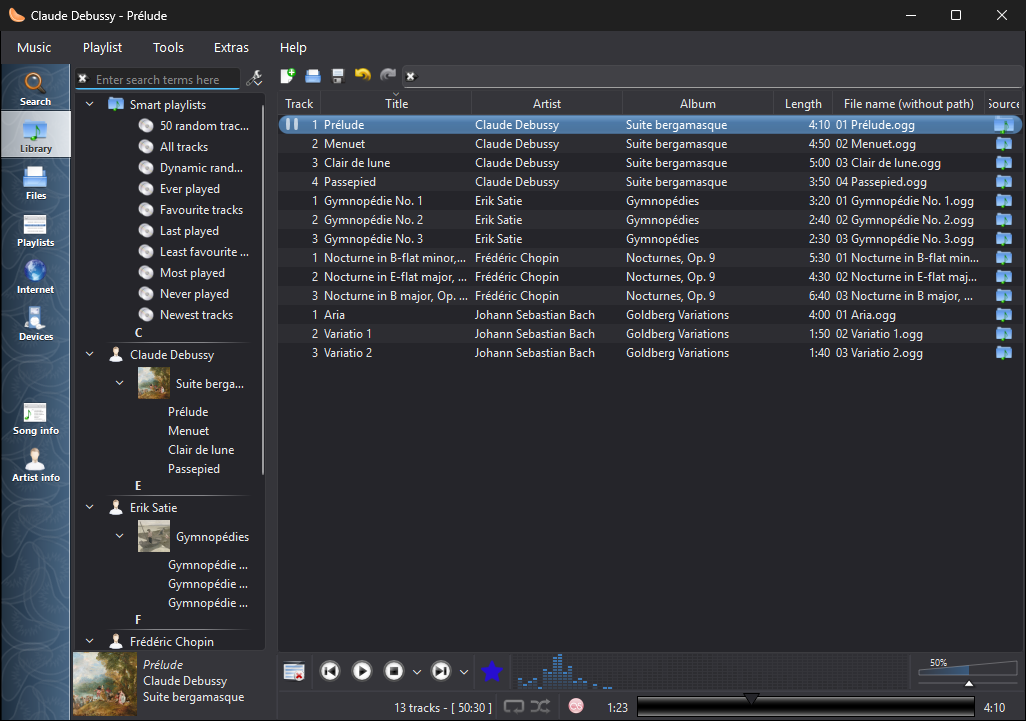
Sbírka na Windows, v tmavém vzhledu |
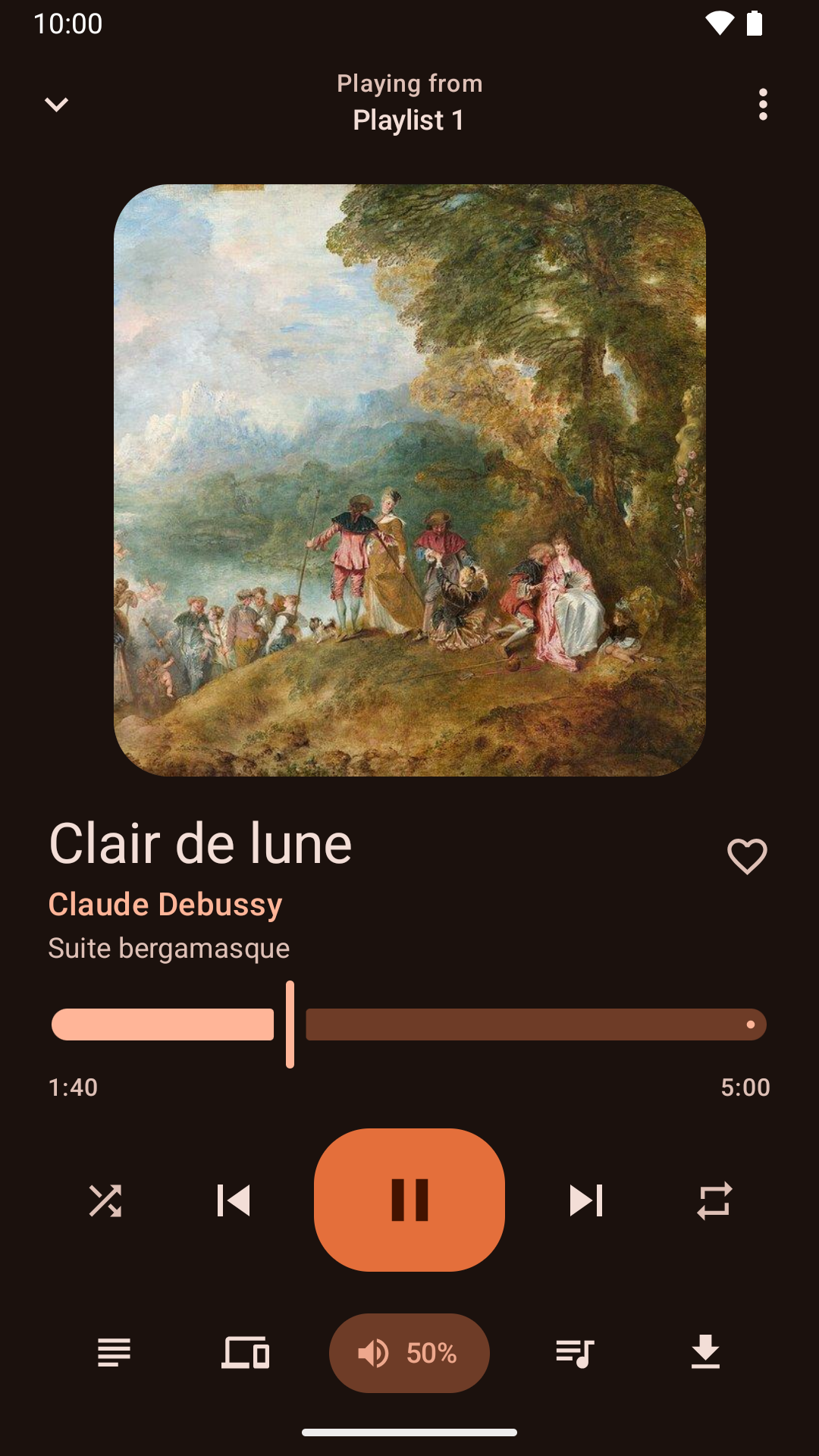
Ovládání přehrávání z aplikace pro Android |
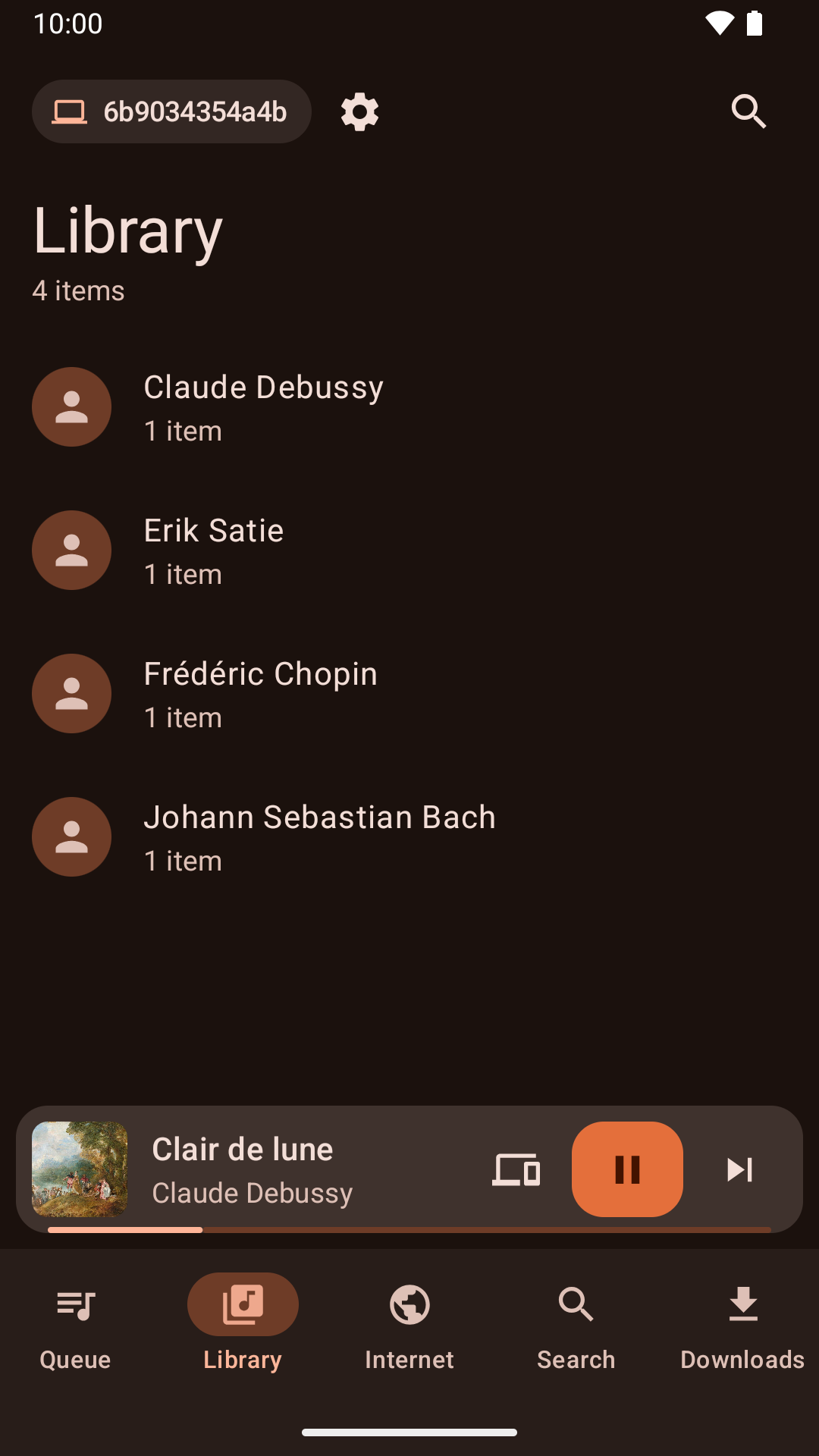
Procházení sbírky v aplikaci pro Android |
Novinky
Version 1.4.3 released - pondělí 26. října 2026
- About Clementine and About Qt work again in the macOS application menu.
- With the theme following the system, Clementine switches between light and dark as soon as the system does.
- On macOS, Plex tracks and other streams from servers with newer certificates now play, instead of failing with "Internal data stream error".
- The Dock icon's play and pause badge fits in with current macOS, and the icon is sharp on Retina screens.
- On Retina screens, the playlist's Source column shows its icons at full size again.
- On macOS, Clementine's icons use the system's SF Symbols: sharp at any size, and following light and dark mode.
- Clementine Remote no longer mixes up songs Clementine can't read (a missing file, say) with a playlist's first song.
- Clementine Remote shows songs Clementine can't read (a missing file, say) as the playlist does, rather than as empty rows.
- The tray icon's play and pause badge is now visible on dark panels.
- Remotes name this computer by its host name when choosing where to play.
- Fixed an occasional crash while Clementine reads tags, such as when scanning the library.
- The remote control settings link to the new Clementine Remote for Android on Google Play.
- The remote control settings no longer link to ClemRemote, the alternative remote app.
- Play music on a Chromecast or other Google Cast device: turn on "Allow playing on remote devices" in the network remote settings, then choose the device with the Cast button next to the volume slider.
- Album covers in the now-playing area are now sharp on high-resolution screens.
- Under GNOME, Clementine uses GNOME's own icons for its buttons and menus, matching the rest of the desktop in light and dark mode.
- Clementine has numbered releases again, every week there's something new. Development builds from every change are pre-releases on GitHub.
- Fixed streams sometimes never starting when they're opened as Clementine starts, from the command line or a remote.
- Fixed adding songs and streams from a remote's Browse tab on Ubuntu 24.04 and Debian 12.
- Streams that connect but send nothing now fail after five seconds with an error, instead of waiting for ever.
- Clementine's scalable icon is now square, as Linux app launchers expect.