
About & Features
- Przeszukuj i odtwarzaj swoją kolekcję muzyki na swoim komputerze.
- Słuchaj radia internetowego w serwisach SomaFM, Digitally Imported, RadioTunes, JAZZRADIO.com, ROCKRADIO.com, ClassicalRadio.com, Intergalactic FM, Radio-Browser.info i Icecast.
- Browse and play music from Jamendo, Magnatune, Subsonic servers i Plex Media Servers.
- Wyszukuj i odtwarzaj utwory które wrzuciłeś na Box, Dropbox, Google Drive, OneDrive i Seafile.
- Scrobble what you play to Last.fm.
- Twórz inteligentne oraz dynamiczne listy odtwarzania.
- Tabbed playlists, import and export M3U, XSPF, PLS, ASX and WPL.
- Wsparcie dla muzycznych arkuszy dyrektyw (CUE sheet).
- Odtwarzaj płyty audio CD.
- Equalizer and moodbar.
- Wizualizacje z wykorzystaniem projectM.
- Lyrics from your own files and LRCLIB, shown in time with the song where they're timed.
- Artist biographies and photos.
- Transcode music into MP3, Ogg Vorbis, Ogg Opus, Ogg Speex, FLAC, AAC, WMA or WAV.
- Edit tags and organise your music.
- Pobierz brakujące tagi z internetowej bazy danych MusicBrainz.
- Discover, download and sync podcasts with gpodder.net.
- Download missing album cover art from Last.fm, MusicBrainz and Discogs.
- Cross-platform - works on Windows, macOS and Linux.
- Light and dark themes, or follow your system's.
- Native desktop notifications and media controls on Linux, macOS and Windows.
- Remote control using an Android device, an iPhone or iPad, Wii Remote, MPRIS lub linię komend.
- With Clementine Remote, browse your library and internet services, download songs, and play Clementine's music on your phone.
- Kopiuj muzykę na iPod, MTP or mass-storage USB player.
- Kolejka odtwarzania.
Clementine to nowoczesny odtwarzacz muzyki i program do zarządzania kolekcją utworów
Clementine to wieloplatformowy odtwarzacz muzyki. Jest inspirowany programem Amarok 1.4, skupiony na szybkim, wygodnym i łatwym w obsłudze interfejsie do wyszukiwania i odtwarzania Twojej muzyki.

Clementine Remote
Kontroluj zdalnie Clementine swoim telefonem z Androidem
Want every change as soon as it's made? Join the beta for development builds.
Google Play and the Google Play logo are trademarks of Google LLC.
Zrzuty ekranu
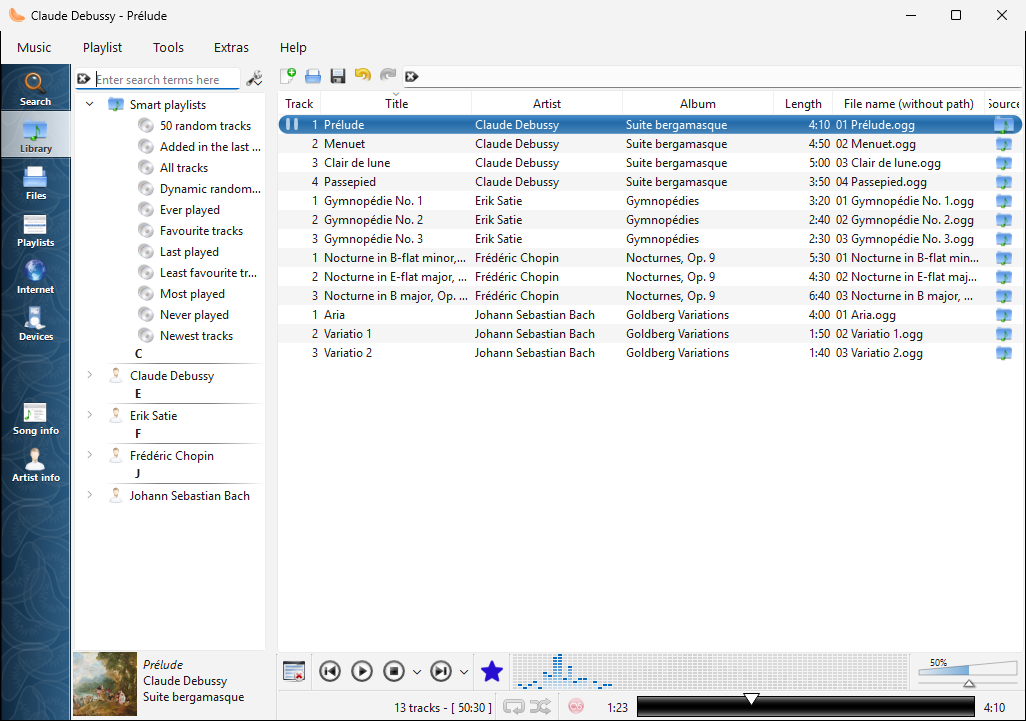
The library on Windows |
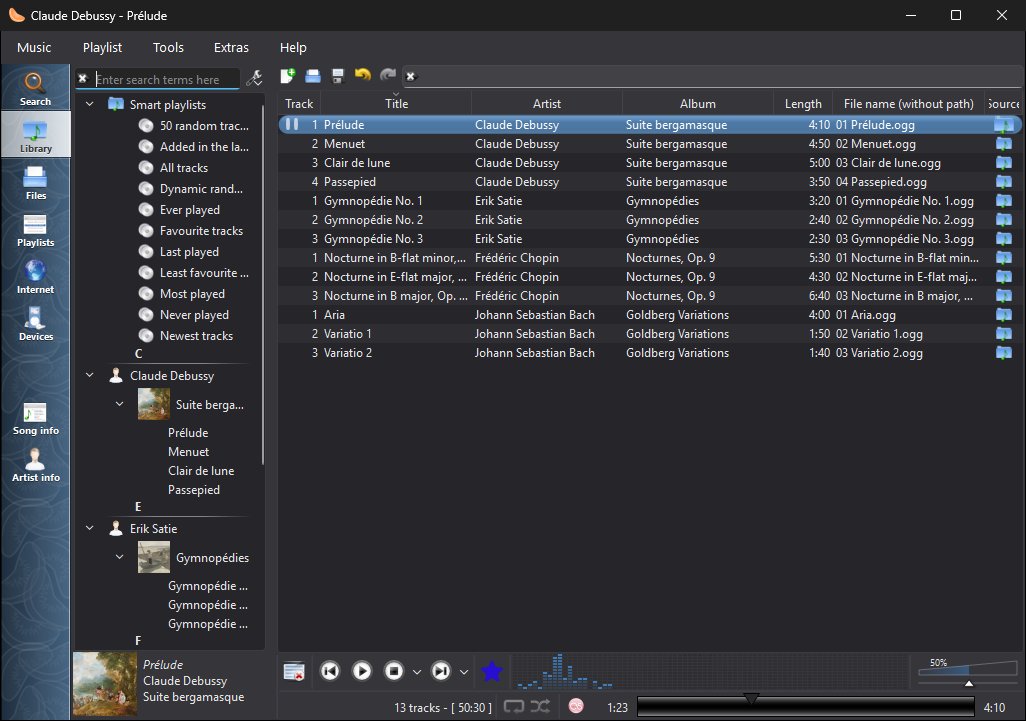
The library on Windows, in the dark theme |
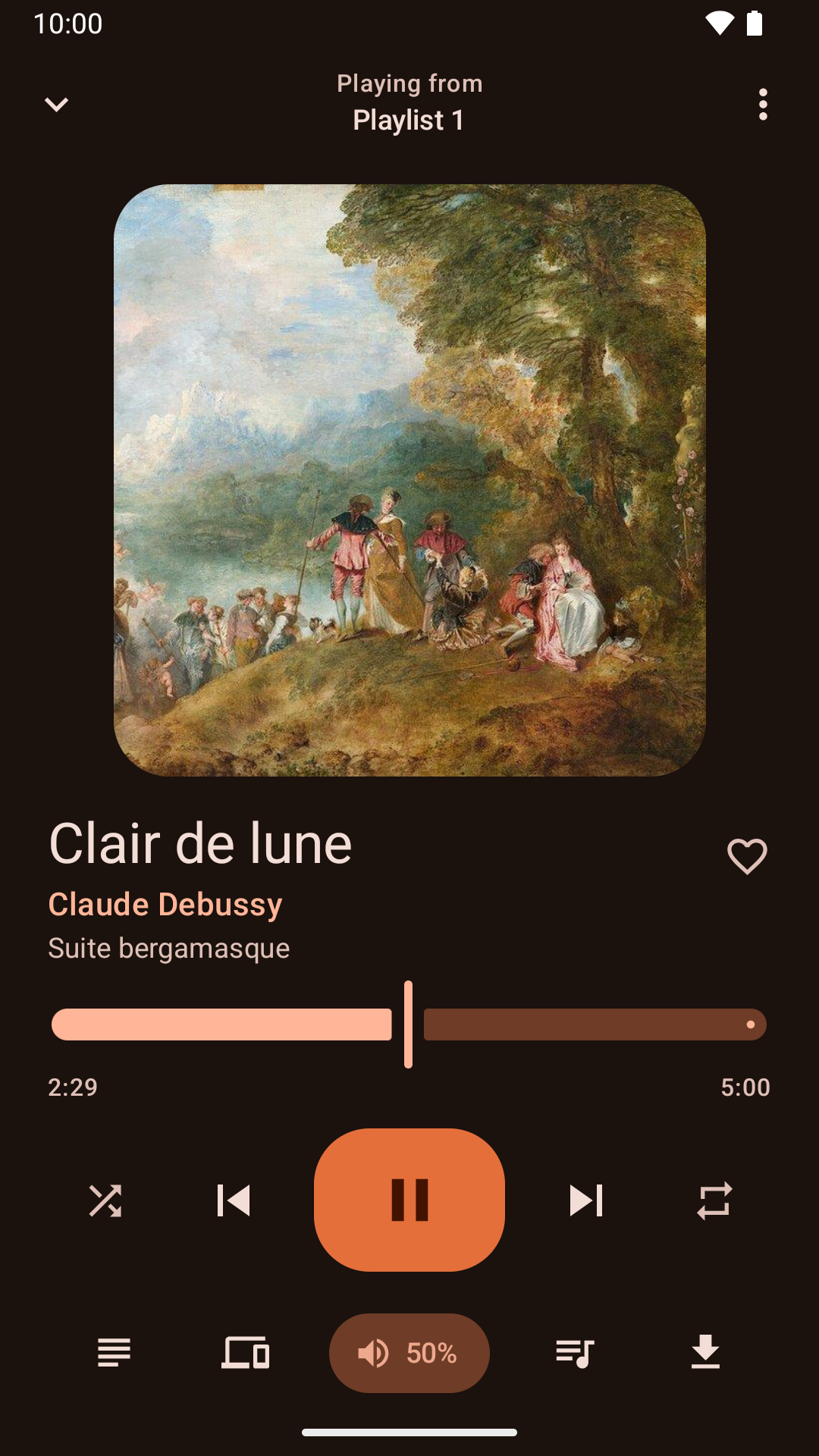
Kontrola odtwarzania z telefonu z Androidem |
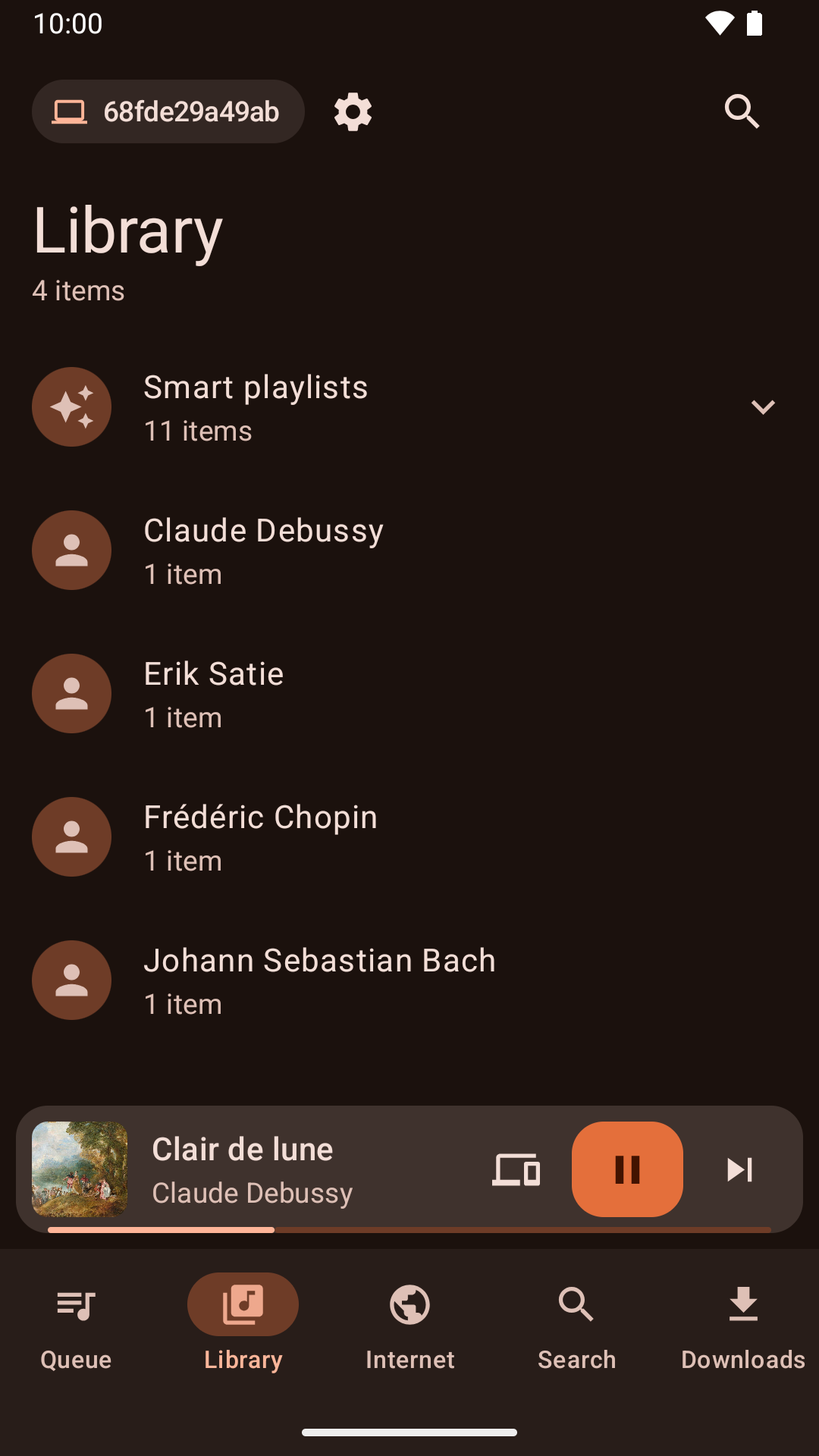
Browsing the library from the Android app |
Nowości
Version 1.4.5 released - poniedziałek, 9 listopada 2026
- "Search for artist" and "Search for album" in the playlist's menu show their results in the Search tab again.
- Audio CDs are named from MusicBrainz reliably, including their track titles.
- Audio CDs can be opened, played and ripped on Windows.
- Play to AirPlay speakers and other AirPlay receivers, such as a Mac, with what's playing and its controls in the Mac's Now Playing.
- Play to Sonos speakers and other UPnP/DLNA media renderers.
- The network remote no longer lets a phone add or download files from outside the folder its Files tab shares.
- The network remote can no longer add files to a playlist from outside the library and the Files tab's folder.
- Playlist files added from the network remote can no longer add songs from outside the library and the Files tab's folder.
- Clementine for Mac now runs on macOS 15 Sequoia as well as later versions.
- Removing duplicate or unavailable songs from the playlist can be undone again, as can removing the current song with its shortcut.
- After shuffling the playlist, or undoing a sort, Next plays the song that now follows the current one.
- Undoing the removal of the playing song marks it as playing again.
- The cover manager lists every album, including albums with the same name by different artists.
Version 1.4.4 released - poniedziałek, 2 listopada 2026
- Clementine no longer crashes when playing on a Chromecast that isn't on a network the network remote listens on.
- Linux software centres now show what's new in each release.
- The menu for choosing where to play shows whether each device is a speaker, a TV or a speaker group.
- Fixed a crash when double-clicking a track to play it.
- The Mac and Windows versions print their log when run from a terminal, so --verbose and --log-levels work there too.
- Chromecasts are offered whenever they're found, and choosing one explains what the network remote needs to play on it, offering to turn it on.
- Plex keeps working when the server's address changes, without signing in again.
- Plex album art keeps loading when the server's address changes.
- The network remote can listen on a network instead of an exact address, so it keeps working when your router gives this computer a new address.
- Full screen visualizations keep the screen from turning off on Linux again, and a new "Keep the computer awake" setting can turn this off.
- Clementine can keep the computer awake during playback, while playing on another device, while a remote downloads or syncs songs, or whenever it's open, with an option for each under "Keep the computer awake".
- The library has a new "Added in the last 30 days" smart playlist.
- Clementine Remote can list the library's smart playlists and play them.
- The Windows installer is no longer blurry on high-resolution displays.
Version 1.4.3 released - poniedziałek, 26 października 2026
- About Clementine and About Qt work again in the macOS application menu.
- With the theme following the system, Clementine switches between light and dark as soon as the system does.
- On macOS, Plex tracks and other streams from servers with newer certificates now play, instead of failing with "Internal data stream error".
- The Dock icon's play and pause badge fits in with current macOS, and the icon is sharp on Retina screens.
- On Retina screens, the playlist's Source column shows its icons at full size again.
- On macOS, Clementine's icons use the system's SF Symbols: sharp at any size, and following light and dark mode.
- Clementine Remote no longer mixes up songs Clementine can't read (a missing file, say) with a playlist's first song.
- Clementine Remote shows songs Clementine can't read (a missing file, say) as the playlist does, rather than as empty rows.
- The tray icon's play and pause badge is now visible on dark panels.
- Remotes name this computer by its host name when choosing where to play.
- Fixed an occasional crash while Clementine reads tags, such as when scanning the library.
- The remote control settings link to the new Clementine Remote for Android on Google Play.
- The remote control settings no longer link to ClemRemote, the alternative remote app.
- Play music on a Chromecast or other Google Cast device: turn on "Allow playing on remote devices" in the network remote settings, then choose the device with the Cast button next to the volume slider.
- Album covers in the now-playing area are now sharp on high-resolution screens.
- Under GNOME, Clementine uses GNOME's own icons for its buttons and menus, matching the rest of the desktop in light and dark mode.
- Clementine has numbered releases again, every week there's something new. Development builds from every change are pre-releases on GitHub.
- Fixed streams sometimes never starting when they're opened as Clementine starts, from the command line or a remote.
- Fixed adding songs and streams from a remote's Browse tab on Ubuntu 24.04 and Debian 12.
- Streams that connect but send nothing now fail after five seconds with an error, instead of waiting for ever.
- Clementine's scalable icon is now square, as Linux app launchers expect.