
Teave ja rakenduse võimalused
- Otsi ja esita lugusid oma helikogust.
- Kuula veebiraadiot erinevatest allikatest: SomaFM, Digitally Imported, RadioTunes, JAZZRADIO.com, ROCKRADIO.com, ClassicalRadio.com, Intergalactic FM, Radio-Browser.info ja Icecast.
- Sirvi ja kuula muusikat veebiallikatest nagu Jamendo, Magnatune, Subsonicu serverid ja Plexi meediumiserverid.
- Esita ja otsi enda üleslaaditud lugusid sellistest veebiteenustest: Box, Dropbox, Google Drive, OneDrive ja Seafile.
- Kraasi lugusid, mida sa kuulad teenusesse Last.fm.
- Koosta nutikaid või dünaamilisi esitusloendeid
- Vahekaartide kaupa grupeeritavad esitusloendid ning M3U, XSPF, PLS ja ASX impordi ja ekspordi tugi.
- Asukohatabeli tugi (CUE-sheet).
- Kuula muusikat CD-plaatidelt
- Ekvalaiser ja meeleoluribad
- Visualiseeringud on teinud projectM.
- Laulusõnad sinu omadest failidest või teenusest LRCLIB, sealhulgas kasutades andmete olemasolul täpset kuvamise ajastamist
- Esitajate elulood ja fotod.
- Kodeeri muusikat MP3, Ogg Vorbis, Ogg Opus, Ogg Speex, FLAC, AAC, WMA või WAV vormingutesse.
- Muuda silte ja halda oma muusikakogu.
- Leia puuduvad sildid MusicBrainzi teenuse abil.
- Otsi, laadi alla ja sünkrooni taskuhäälingud teenusest gpodder.net.
- Laadi puuduvad kaanepildid alla Last.fm-ist, MusicBrainzist või Discogsist.
- Toimib paljudes operatsioonisüsteemides - Windows, macOS ja Linux.
- Heledad või tumedad kujundused või kasuta süsteemi kujundust.
- Operatsioonisüsteemile omased teavitused ja juhtnupud Linuxis, macOS-is ning Windowsis.
- Kaugjuhtimispult, kui kasutusel on Androidi seade, iPhone või iPad, Wii pult, MPRIS käsureal.
- Clementine'i kaugjuhtimispuldiga saad sirvida oma muusikakogu ja uurida ineternetiteenuseid, laadida alla lugusid ning ka kuulata oma nutiseadmes Clementine'is leiduvat muusikat.
- Kopeeri muusika oma iPod-i, MTP- või massmälupõhisesse USB-pleierisse.
- Järjekorrahaldur.
Clementine on tänapäevane muusikamängija ja meediumikogu haldaja
Clementine on paljudes operatsioonisüsteemides toimiv muusikamängija. Meie algseks inspiratsiooniks on Amarok 1.4, ja meie põhieesmärgiks on rakendus, millel on kiire ja hõlpsasti kasutatav liides sinu muusika otsimiseks ja esitamiseks.

Clementine kaugjuhtimispult
Juhi Clementine'i oma Androidi telefonist
Kas tahad kasutada kõiki viimaseid võimalusi kohe? Arendusversioonide kasutamiseks liitu beeta-programmiga.
Google Play and the Google Play logo are trademarks of Google LLC.
Ekraanipildid
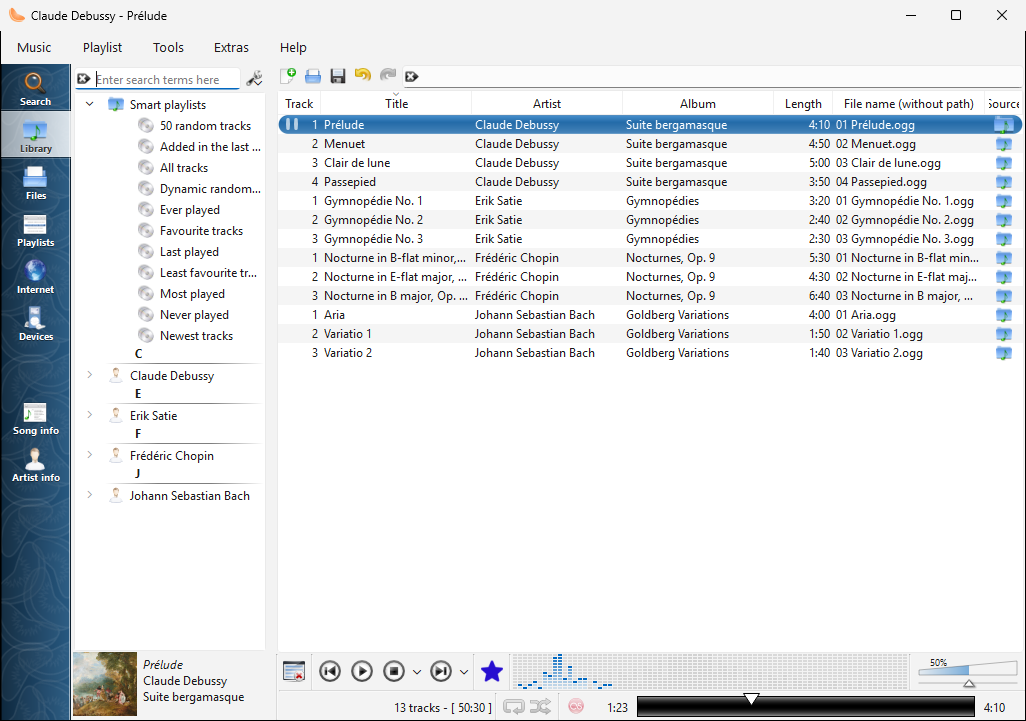
Muusikakogu vaade, kui kasutusel on Windows |
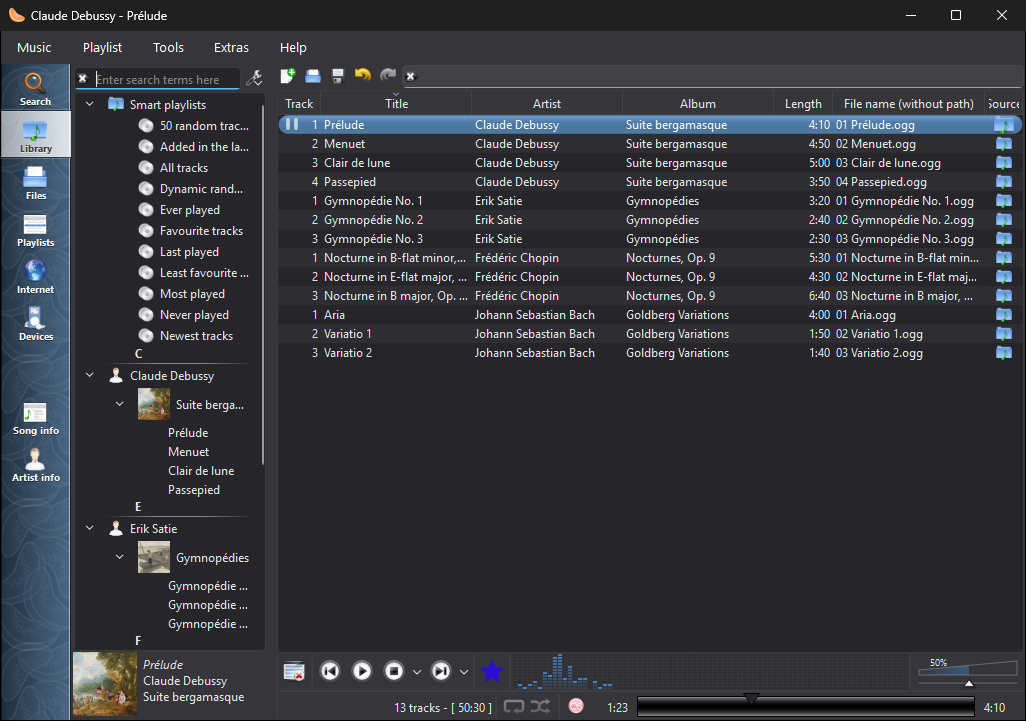
Muusikakogu tumedas kujunduses, kui kasutusel on Windows |
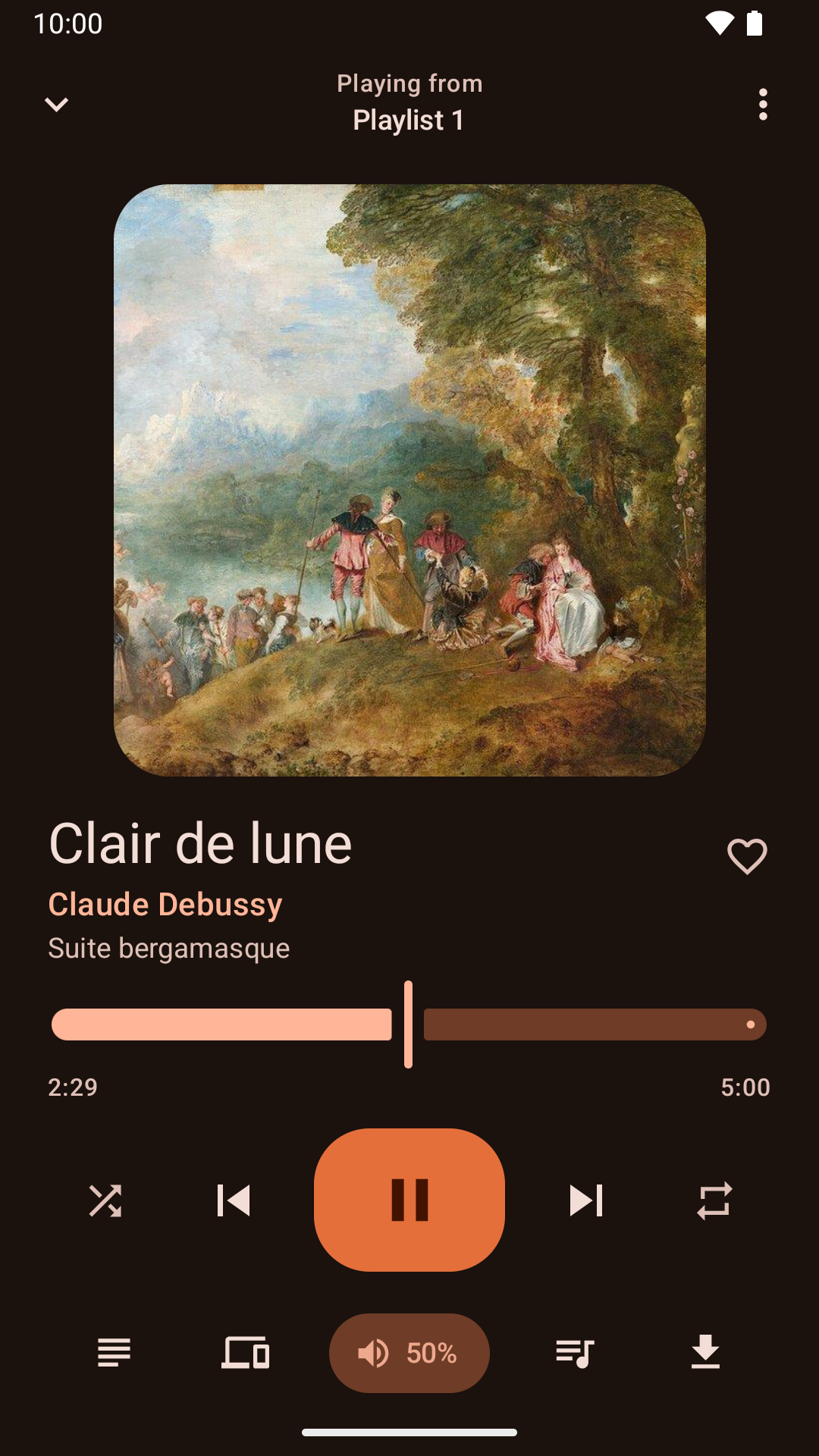
Loo esituse juhtimine Androidi rakendusest |
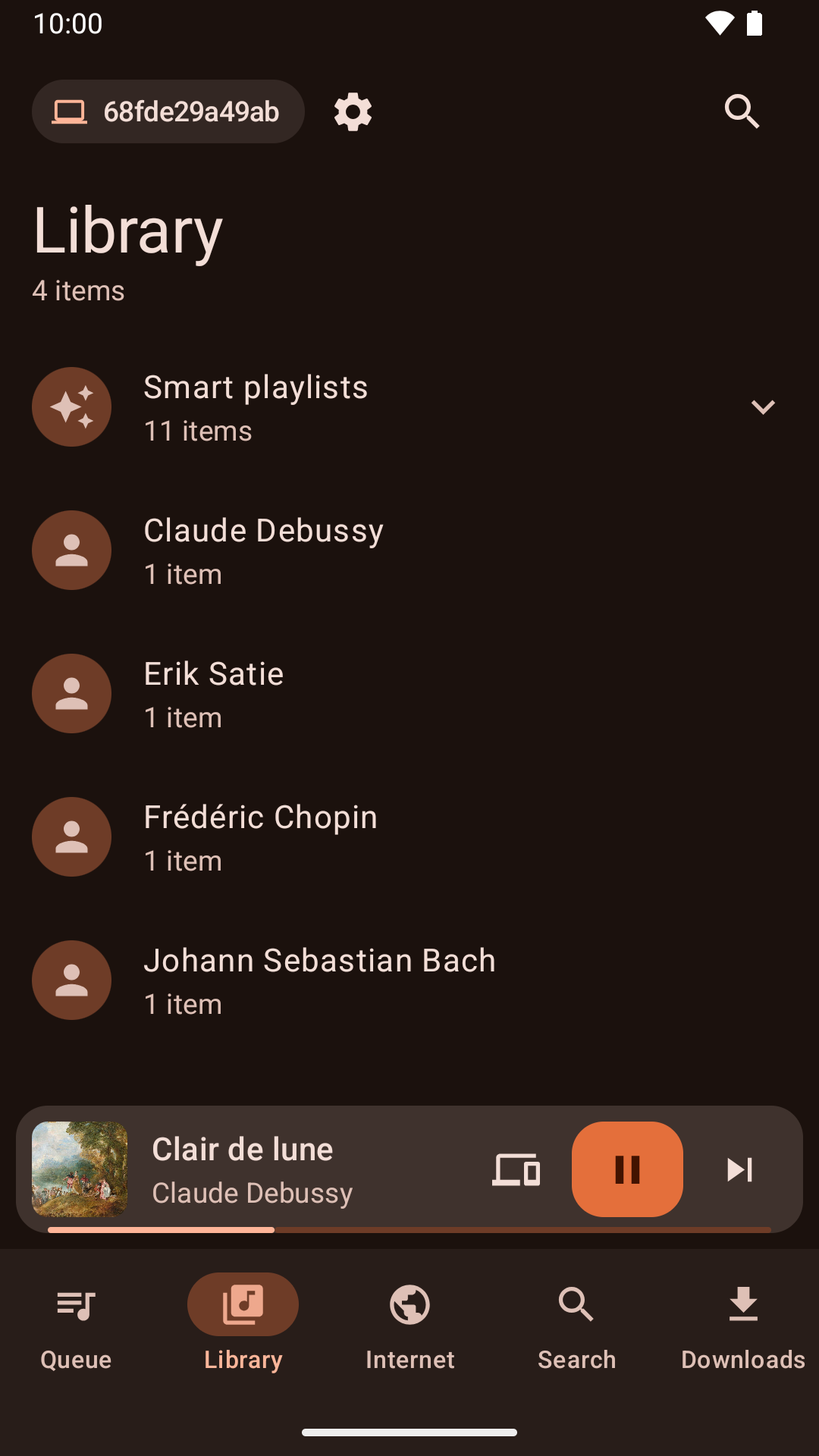
Muusikakogu sirvimine Androidi rakendusest |
Uudised
Version 1.4.4 released - esmaspäev, 2. november 2026
- Clementine no longer crashes when playing on a Chromecast that isn't on a network the network remote listens on.
- Linux software centres now show what's new in each release.
- The menu for choosing where to play shows whether each device is a speaker, a TV or a speaker group.
- Fixed a crash when double-clicking a track to play it.
- The Mac and Windows versions print their log when run from a terminal, so --verbose and --log-levels work there too.
- Chromecasts are offered whenever they're found, and choosing one explains what the network remote needs to play on it, offering to turn it on.
- Plex keeps working when the server's address changes, without signing in again.
- Plex album art keeps loading when the server's address changes.
- The network remote can listen on a network instead of an exact address, so it keeps working when your router gives this computer a new address.
- Full screen visualizations keep the screen from turning off on Linux again, and a new "Keep the computer awake" setting can turn this off.
- Clementine can keep the computer awake during playback, while playing on another device, while a remote downloads or syncs songs, or whenever it's open, with an option for each under "Keep the computer awake".
- The library has a new "Added in the last 30 days" smart playlist.
- Clementine Remote can list the library's smart playlists and play them.
- The Windows installer is no longer blurry on high-resolution displays.
Version 1.4.3 released - esmaspäev, 26. oktoober 2026
- About Clementine and About Qt work again in the macOS application menu.
- With the theme following the system, Clementine switches between light and dark as soon as the system does.
- On macOS, Plex tracks and other streams from servers with newer certificates now play, instead of failing with "Internal data stream error".
- The Dock icon's play and pause badge fits in with current macOS, and the icon is sharp on Retina screens.
- On Retina screens, the playlist's Source column shows its icons at full size again.
- On macOS, Clementine's icons use the system's SF Symbols: sharp at any size, and following light and dark mode.
- Clementine Remote no longer mixes up songs Clementine can't read (a missing file, say) with a playlist's first song.
- Clementine Remote shows songs Clementine can't read (a missing file, say) as the playlist does, rather than as empty rows.
- The tray icon's play and pause badge is now visible on dark panels.
- Remotes name this computer by its host name when choosing where to play.
- Fixed an occasional crash while Clementine reads tags, such as when scanning the library.
- The remote control settings link to the new Clementine Remote for Android on Google Play.
- The remote control settings no longer link to ClemRemote, the alternative remote app.
- Play music on a Chromecast or other Google Cast device: turn on "Allow playing on remote devices" in the network remote settings, then choose the device with the Cast button next to the volume slider.
- Album covers in the now-playing area are now sharp on high-resolution screens.
- Under GNOME, Clementine uses GNOME's own icons for its buttons and menus, matching the rest of the desktop in light and dark mode.
- Clementine has numbered releases again, every week there's something new. Development builds from every change are pre-releases on GitHub.
- Fixed streams sometimes never starting when they're opened as Clementine starts, from the command line or a remote.
- Fixed adding songs and streams from a remote's Browse tab on Ubuntu 24.04 and Debian 12.
- Streams that connect but send nothing now fail after five seconds with an error, instead of waiting for ever.
- Clementine's scalable icon is now square, as Linux app launchers expect.